
Credit/No Credit Grading
ATTENTION GRADUATE STUDENTS:
The information found below applies only to undergraduate students.
If you are a graduate student (post baccalaureate student) with Credit/No Credit grading questions, please speak directly with your Graduate Coordinator or the Office of Graduate Education.
Selecting Credit/No Credit grading by the term deadline means that you are choosing to complete the class on a pass/fail basis. The grade received (either "CR" for Credit or "NC" for No Credit) is not factored into your GPA. Credit is awarded for grades of a C- or higher. No credit is awarded for grades lower than a C-.
The University Credit/No Credit grading policy for undergraduate students states that students may choose to take up to 12 units of coursework with this grading option. This does not include courses that are already designated to be graded as CR/NC, as noted in their course description.
Note: Most majors do not allow any CR/NC grading in major or support. The majority of Cal Poly students can take only one GE class CR/NC toward degree requirements.
- Students desiring to elect a course on a Credit/No Credit grading basis must be currently enrolled in the course and must elect the Credit/No Credit grading option through the registration system. The deadline for students to choose the CR/NC grading option for eligible courses will be 50% of instruction for the term, or the Friday following that date, whichever is later. Students may not change from one grading system to the other after the deadline.
- Undergraduate students are given a grade of CR for accomplishment equivalent to a grade of C– or better. No credit (NC) is given for D+ or lower grades. Graduate students receive a grade of CR that is based on an evaluated grade of B– or higher and NC for assigned grades of C+ or lower. Instructors submit conventional letter grades to the Registrar's Office where they are converted to Credit/No Credit grades. NOTE: Some post-baccalaureate programs penalize students for a grade of CR; students should carefully consider the implications of selecting CR/NC grading.
- The applicant for a Credit/No Credit grade must have at least a 2.0 grade point average in cumulative Cal Poly work. This requirement is waived for first-term students.
- Units earned in courses for which the grade is CR count toward satisfaction of all degree requirements, if the student is within the guidelines listed in Item 5.
- Undergraduate students may elect a maximum of 12 units of Credit/No Credit grading under certain conditions:
- If approved by the student’s major program, department, or equivalent unit, no more than one course in the Major may be taken for CR/NC grading.
- Courses in the "major" include all major courses, support courses, concentration courses, and all types of elective courses listed within the major curriculum: e.g., technical electives, approved electives, concentration approved electives, etc.
- If a course double-fulfills a major/support/concentration requirement as well as a GE requirement, the units would apply as both Major CR/NC units and GE CR/NC units.
- Most majors do not allow Credit/No Credit grading in major courses (see "Degree Requirements and Curriculum" for each major to determine if Credit/No Credit grading is allowed. "Degree Requirements and Curriculum" can be found under "Programs" at the top of this page).
- No more than one course may be taken in General Education (those GE courses which are required for the bachelor's degree) for CR/NC grading.
- One unit lab courses, not embedded with a lecture course, taken to satisfy the 5C GE requirement may be taken CR/NC without counting against the one course limit for a GE course taken CR/NC.
- The remainder can be taken as free electives.
Note: these unit maximums apply to the selection of credit/no credit grading basis, regardless whether a student earns a grade of CR or NC.
- If approved by the student’s major program, department, or equivalent unit, no more than one course in the Major may be taken for CR/NC grading.
- Credit/No Credit grading is removed for courses not meeting the above guidelines; the grade is changed to the letter grade assigned by the instructor. Students are strongly encouraged to verify, before enrolling, whether they are allowed to select Credit/No Credit grading for a particular course or requirement.
- Non-matriculated students, including those in the Extension Program, Summer Session, and Workshops must meet the same requirements as matriculated students to elect courses on a Credit/No Credit grading basis. (The 2.0 GPA requirement is waived in the case of non-matriculated students having no previous coursework recorded at Cal Poly.)
- Not more than one-third of the courses in a minor can be graded with student-selected Credit/No Credit (CR/NC), except for courses that have mandatory CR/NC grading.
Courses in the "major" include all concentration courses and all types of elective courses listed within the major curriculum: e.g., technical electives, approved electives, concentration approved electives, etc.
CAUTION: Major/Support Courses and CR/NC
ANY class that can fulfill any elective area in Major or Support is considered a Major/Support class if you have not already fully satisfied that elective area in a prior term. This includes concentration and/or technical/approved elective lists. As such, if you have not fully satisfied that area in a prior term, you must follow the rules for your major, which can be found elsewhere in this website. You do not have an option for CR/NC.
EXAMPLE SCENARIO:
- A College of Engineering student's technical elective requirement is not yet satisfied. They are considering taking a course as CR/NC. If the course being considered for CR/NC grading is on the list of technical electives, they cannot enroll in that class CR/NC. They would only be able to enroll in that class CR/NC if they have fully satisfied their technical elective requirement.
If a course in your major double counts or double-fulfills a Major or Support requirement as well as a GE requirement, the units would apply as Major/Support CR/NC units and must abide by your major's policy.
Please refer to the full policy in the catalog for all components of CR/NC
Graduate students please consult your graduate handbook for grading policies.
Please review all instructions and policies below before adjusting grading options.
STEP 1: Review Grade Setting for the Course
Some courses, such as 1-unit KINE classes, are already designated as Credit/No Credit (CR/NC) graded. These courses are exempt from grading changes and do not require any action. Follow the steps below to verify the current grading status of your courses:
How to check grading setting

- Log into your portal at my.calpoly.edu
- Click on "Student Center" from the menu on the left
- Click on "Academic Progress" from the menu on the left (the graduation cap symbol)
- Click on "Grades" and adjust to appropriate term by clicking "Change Term" in the top right corner.
- If the grading basis says "Graded", this means you will receive a letter grade.
- If the grading basis says "Credit/No Credit", this means the class is automatically set to CR/NC and does not need to be changed. These units do not count toward the 16-unit limit for CR/NC grading.
Check if the deadline to change CR/NC grading has passed
It is important to check if the deadline for credit/no credit has passed.
- Visit the student planning calendar to view the deadline for this quarter.
- All grading selections are finalized at the 50% mark of the quarter (the end of week 8)
- Students can change the grading basis as many times as they'd like up until the deadline.
STEP 2: Review All Considerations Below
Reasons to consider CR/NC
- Reducing Stress: To focus on learning the material without the pressure of earning a specific grade.
- Exploring Interests: To take a class outside your major or comfort zone without worrying about how it impacts your GPA.
- Risk Management: If you are unsure about performing well in a challenging course, CR/NC can minimize potential GPA impact.
- Meeting Unit Requirements: To fulfill free elective or unit requirements without needing a letter grade.
- Special Circumstances: If personal challenges (e.g., health issues or unexpected events) might affect their performance.
- If you have any questions, about credit/no credit policies (prerequisites, change of major, options if already reached limit, etc.) please discuss with an advisor before making the decision. Please continue to read all reasons below.
Change of Major
If you are considering changing your major, it is encouraged you look up the policy for both majors. You need to abide by the policies for your current major and not your desired major. All curriculum sheets and flowcharts can be found on flowcharts.calpoly.edu.
- Reference step 2 on the change of major website to view each major's policy and step 3 below.
If you are in an Individualized Change of Major Agreement (ICMA), please reference your ICMA or contact your ICMA coordinator. Some criteria states that you need to complete a specific number of graded units. Specific major criteria can be found on step 2 of the change of major website or reference your email from the department.
Graduate or Professional School
If you are considering graduate school or professional school, be aware that some programs may have specific grading preferences. To ensure you meet their criteria, we recommend consulting directly with the respective schools or programs you plan to apply to and inquire on credit/no credit grading preferences or implications in their application process.
Cal Poly Pre-Health Career Advising has additional information to consider Cal Poly Pre health Career Advising.
Impact on GPA and Financial Aid
A CR/NC grade won’t directly affect your GPA. In some cases, choosing CR/NC can help stabilize your GPA, but in others, a letter grade might improve it. Receiving a NC grade can impact your progress to degree and/or Satisfactory Academic Progress for Financial Aid.
If you have concerns, connect with an academic advisor or the Financial Aid office. Keep in mind that once the deadline passes, you can’t change your grading option.
Minors
For minor courses, please keep in mind no more than one-third of the courses in a minor can be graded with student-selected Credit/No Credit (CR/NC), except for courses that have mandatory CR/NC grading
You can review the policy in the catalog and on the Academic Programs website.
Prerequisites
It is encouraged that you review the grade requirement for the next course via the flowchart or the Catalog and discuss the best option with an advisor.
Some courses, like 1A, 1B, 1C, and Area 2 GEs, require a C- or better to pass the prerequisite and fulfill the requirement of the course. In this instance, CR/NC could be an option since the grading requirement is the same (a C- is the threshold).

However, if the next course in the sequence does not specifically state that the prerequisite is a C- or better, then a D- or higher is a passing grade. If you only need at least a D- for the prerequisite but are taking the class as CR/NC, then you will get NC and the prerequisite will not be met.
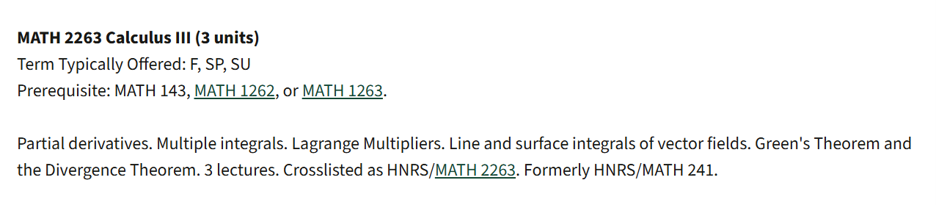
In this case, it might be better to choose a letter grading, especially if you receive Financial Aid. Please contact the Financial Aid Office to discuss any implications if this applies to you.
STEP 3: Understand if Your Major Allows CR/NC Grading
There are 8 majors that allow CR/NC grading in major or support courses. Agribusiness, Art, Journalism, Kinesiology, Liberal Studies, Public Health, Physics, and Statistics (there are limitations with Physics and Statistics). Students are responsible for reading all information listed below from their departments prior to selecting CR/NC grading.
Units Eligible to take CR/NC
Courses in the "major" include all concentration courses and all types of elective courses listed within the major curriculum: e.g., technical electives, approved electives, concentration approved electives, etc. See "Technical Electives | Approved Electives" in the Frequently Asked Scenario below for more specifics.
ANY class that can fulfill any elective area in major or support is considered a major/support class if you have not already fully satisfied that elective area in a prior term. This includes concentration and/or technical/approved elective lists. As such, if you have not fully satisfied that area in a prior term, you must follow the rules for your major, which can be found elsewhere in this website. You do not have an option for CR/NC.
EXAMPLE SCENARIO:
- A College of Engineering student's technical elective requirement is not yet satisfied. They are considering taking a course as CR/NC. If the course being considered for CR/NC grading is on the list of technical electives, they cannot enroll in that class CR/NC. They would only be able to enroll in that class CR/NC if they have fully satisfied their technical elective requirement.
If a course in your major double counts or double-fulfills a Major or Support requirement as well as a GE requirement, the units would apply as Major/Support CR/NC units and must abide by your major's policy.
Please refer to the catalog for the full policy about CR/NC.
How can I tell if my major or support courses can be selected as CR/NC?
You can view your major's policy in the catalog under the requirements tab.

If you need help finding your catalog year, you can visit your PolyProfile. From your Cal Poly Portal, click on "Academics tab" along the top header and PolyProfile is listed under resources. You will find the catalog year listed under "Career Programs Plans" next to your Bachelor degree information
When is a course not eligible for CR/NC grading?
Student Center will allow you to change the CR/NC grading even if the course is not eligible. Please consider the following two factors:
Reached limit: If you have reached the limit of CR/NC units allowed, the CR/NC grade will be reverted back to a letter grade by the Office of the Registrar
- This does not happen automatically and has to be adjusted manually. Until then, the course is often listed under "course credits not used" in your Degree Progress Report.
- If you notice this, email evaluations@calpoly.edu to ask about your grade
Course not eligible to be selected CR/NC: If a course is not eligible to be selected as CR/NC because your major doesn't allow it or you've used your allowed units, check with an advisor about your options.
- In some instances, a course withdrawal might be appropriate, whereas other times you may want to explore repeating the course. You can review information for withdrawals and repeats below:
SELECT YOUR COLLEGE BELOW FOR DETAILED POLICY INFORMATION
College of Agriculture, Food and Environmental Sciences | CAFES
| Major | Policy |
|---|---|
| Agribusiness |
One major or support course may be selected as CR/NC. One GE course may be CR/NC. |
| Agricultural Communications | No major, support, or concentration courses may be selected as CR/NC. One GE course may be CR/NC. |
| Agriculture Science | No major, support, or concentration courses may be selected as CR/NC. One GE course may be CR/NC. |
| Agriculture System Management | No major, support, or concentration courses may be selected as CR/NC. One GE course may be CR/NC if it does not double-count for a major/support course. |
| Animal Science | No major, support, or concentration courses may be selected as CR/NC. One GE course may be CR/NC. |
| BioResource and Agricultural Engineering | No major, support, or concentration courses may be selected as CR/NC. One GE course may be CR/NC if it does not double-count for a major/support course. |
| Dairy Science | No major, support, or concentration courses may be selected as CR/NC. One GE course may be CR/NC. |
| Environmental Earth and Soil Science | No major, support, or concentration courses may be selected as CR/NC. One GE course may be CR/NC. |
| Environmental Management and Protection | No major, support, or concentration courses may be selected as CR/NC. One GE course may be CR/NC. |
| Food Science | No major, support, or concentration courses may be selected as CR/NC. One GE course may be CR/NC if it does not double-count for a major/support course. |
| Forestry and Fire Science | No major, support, or concentration courses may be selected as CR/NC. One GE course may be CR/NC. |
| Nutrition | No major, support, or concentration courses may be selected as CR/NC. One GE course may be CR/NC if it does not double-count for a major/support course. |
| Plant Sciences | No major, support, or concentration courses may be selected as CR/NC. One GE course may be CR/NC. |
| Recreation, Parks and Tourism Administration | No major, support, or concentration courses may be selected as CR/NC. One GE course may be CR/NC. |
| Wine and Viticulture | No major, support, or concentration courses may be selected as CR/NC. One GE course may be CR/NC. |
College of Architecture and Environmental Design | CAED
None of CAED majors allow CR/NC for major support courses.
College of Engineering | CENG
College of Liberal Arts | CLA
College of Liberal Arts Credit/No Credit policy (click on the accordion "what classes can I take credit/no credit (CR/NC)?"
Bailey College of Science and Mathematics | BCSM
Bailey College of Science and Mathematics credit/no credit policy (click on the accordion "what classes can I take credit/no credit (CR/NC)?"
Orfalea College of Business | OCOB
STEP 4: Directions on How to Change Grading Option
Change Grading to CR/NC
Video tutorial on how to change grading to CR/NC
- Log into my.calpoly.edu portal
- Click on "Student Center" from the menu on the left
- Click on "Enrollment" from the menu on the left (the shopping cart symbol)
- Select "Edit Enrollment" from the dropdown menu
- Identify the courses you would like to edit and then click "Edit"
- Change the course from "Graded" to "Credit/No Credit: Student Op", and then click "Continue"
- Review information is correct on the next screen and if so, click "Continue"
- Confirm that the change successfully when through, and then click "Ok". The pop up window will say "The class has been updated".
- Confirm once more
- Click on "Academic Progress" from the menu on the left
- Click on "Grades"
- Verify that the grading basis now says "Credit/No Credit"
If you do not see the option to change the grading basis, this could be because the deadline has passed or the course is already CR/NC.
If you are enrolled in more than 18 units and are receiving an error message reading Maximum Term Load Exceeded, when attempting to change the grading option for a course, please email records@calpoly.edu for assistance. The email must be received prior to the deadline.
Can I change my grade back to a letter grade?
As long as the deadline has not passed, you can change the grade back to a letter grade. Review information above on how to make this switch.
Frequently Asked Scenarios
GWR Courses
Students may take Graduation Writing Requirement (GWR) approved courses as credit/no credit.
If you choose a GWR-certified course, you may take the class for CR/NC, but you must earn a minimum grade of C to satisfy the GWR component of the class. A grade of C- would give you units of the credit for the class but will NOT fulfill the GWR.
- If the course also fulfills a GE credit, you can still use the units of the CR/NC towards this GE, if you have not used it for another GE course. This does NOT apply if your Upper-Division GE covers a major course credit.
You may also take UNIV 401 (Graduate Writing Requirement Portfolio) to fulfill the GWR, which already designates CR/NC as the grading option.
Academic Dishonesty
Students who have received a grade reduction as a result of academic dishonesty are NOT eligible to receive a CR/NC grade in a course in which the grade has been impacted by academic dishonesty (e.g., cheating and/or plagiarism). In this case the CR/NC grade will revert to the letter grade issued by the course instructor. Source of information from Academic Programs & Planning website.
Academic Probation
If you are on academic probation, you can select CR/NC option as long as you have units available and are mindful of your major’s policies. CR/NC could be a great option to strategically improve your GPA and work to get off of academic probation. However, it could still help to discuss the pros/cons and possible impacts to your GPA with an academic advisor.
Community College Courses
Cal Poly policies for CR/NC do not apply to community college courses. Community Colleges have their own CR/NC policies that apply
Community college courses are only factored into the Higher Ed GPA, not the term GPA or Cal Poly SLO GPA.
CSU Fully Online
CSU Fully Online coursework is considered resident credit for graduation purposes, it is subject to the same regulations as Cal Poly coursework. So, if you have completed one GE course already at Cal Poly (or through CSU Fully Online), you have used your one allowance of CR/NC grading in GE.
If you are in a major that does not allow CR/NC grading in Major/Support classes, you cannot take a Major/Support class CR/NC through Fully Online.
Repeating a Course for Grade Forgiveness
If you are repeating a course, you cannot take the class for grade forgiveness. You must enroll in the class on a graded basis.
Not showing in correct place on my DPR
- If the course isn’t showing in the correct area of the degree progress report (DPR), check under “Course credits not used – Counted". If the course is showing here, that might mean that you’ve already used your CR/NC for that category. Check if you’ve already used these units previously.
- If you haven’t used your CR/NC units before, you can check with an advisor or email evaluations@calpoly.edu to ask for clarification.
- If you have already used these CR/NC units, you can email evaluations@calpoly.edu. They will change the grade back to a letter and move it into the correct area on the DPR.
- Note: if your first GE CR/NC is in Area 5A or 5B, the 5C area will show in Course Credits Not Used, even if the 5A/5B portion shows correctly in your DPR. Email evaluations@calpoly.edu for an adjustment to allow 5C to show correctly.
Technical Electives | Approved Electives
- Check your major’s credit/no credit policy first.
- If you have not yet met your technical or approved electives requirement, you cannot take the course as CR/NC. Since these classes fulfill a major requirement, they must be taken for a letter grade.
- If you have already completed your technical electives requirement, then any additional courses beyond that requirement could be taken as CR/NC. At that point, they count as extra units rather than major requirements.
- If a course can fulfill a major requirement, we must count it that way until you’ve completed that requirement.
- The registration system would prevent you from choosing CR/NC for the class if it strictly enforced the rule. Since it doesn’t, we apply the policy as if it did—ensuring you're making progress toward your degree and keeping required courses available for others.
- If your major does not include free electives as part of your overall unit requirements towards your degree, you won’t have any free elective courses until you’ve completed all major requirements. This means there are no “extra” classes to take as CR/NC unless they go beyond what’s required for your degree.
Withdrawals from CR/NC Class